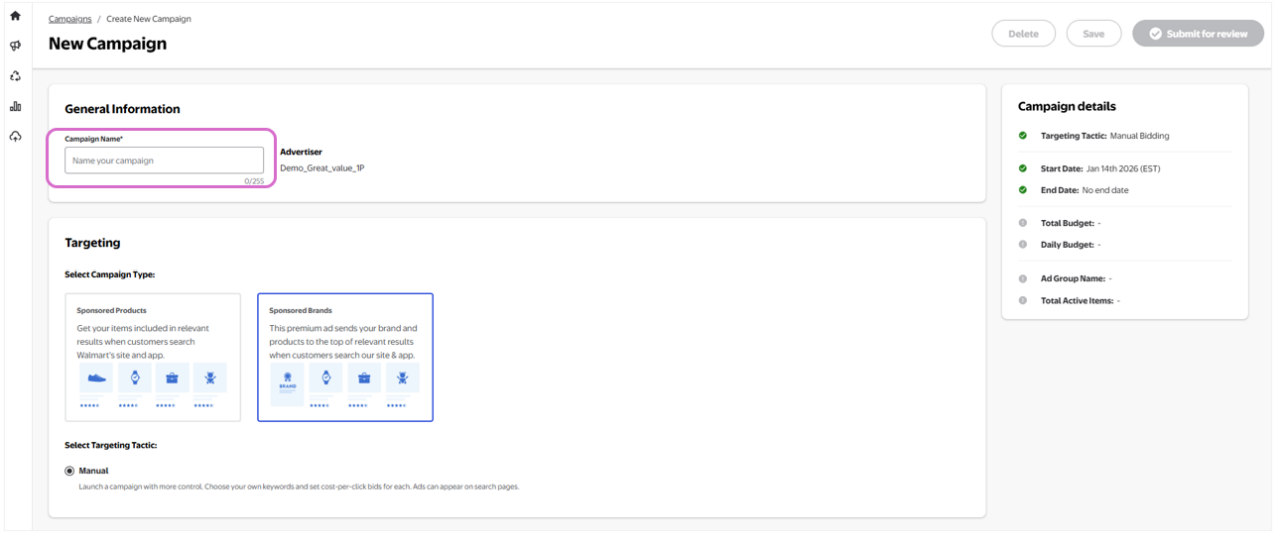
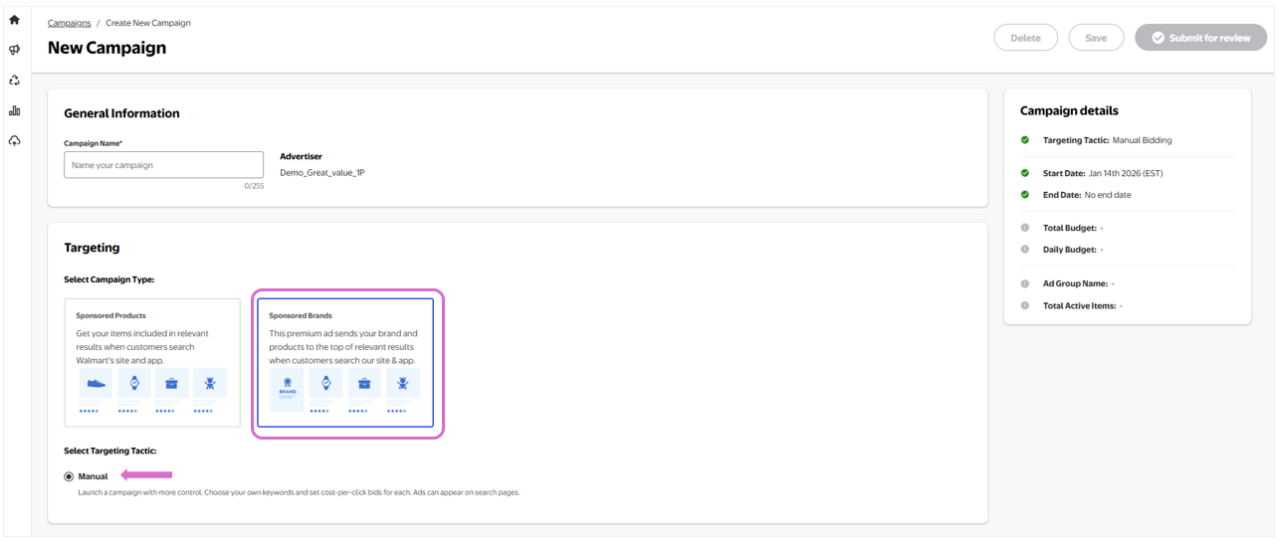
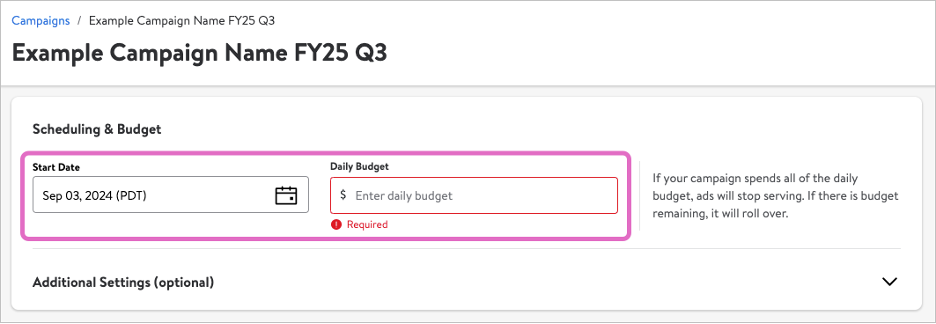
With these settings, your campaign will default to run indefinitely until you choose to pause or end it. To set an end date and/or a total budget, expand the Additional settings section.
Note: Remember Sponsored Brands has a minimum bid of $0.50
Daily Budget represents the most you will spend each day of the campaign. As your account will be charged per ad click, daily spend may vary. It cannot exceed your total budget, if set.
First-party suppliers must set a daily budget of $20 or above.
Marketplace sellers must set a daily budget of $20 or above.
Note: If your campaign does not spend all of its daily budget, the unused amount will roll over to the next day (and continue to do so if unused). However, daily spend will never exceed 2X the daily limit.
For example: If you set a daily limit of $100 and spend $50, the daily limit for the following day, with the addition of rollover budget, will be $150.
OR
If you set a daily limit of $500 and spend $100, the daily limit for the following day will be $900. If your campaign again spends $100, the daily limit for the following day will be $1000 (capped at 2X your set daily limit).
End Date and daily budget
You can choose to set an End Date and/or a Total Budget for your campaign. An end date will stop your campaign even if there is still budget left. A total budget will end the campaign as soon as the total budget has been spent.
Total Budget represents the most you will spend on the campaign. As your account will be charged per ad click, the final campaign spend may be equal to or less than the total budget but will never exceed it. If you choose to set a total budget, you must adhere to the following minimums.
First-party suppliers must set a total budget of $20 or above.
Marketplace sellers must set a total budget of $20 or above.
Note: If you do not set a total budget before you launch your campaign, you will not be able to add one once the campaign is live.
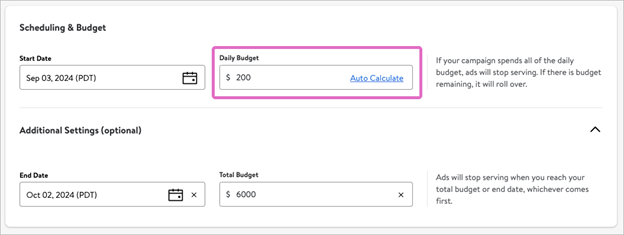
If you set both an end date and total budget, an Auto Calculate option will populate in the Daily Budget field. If you select it, the system will automatically divide your total budget by the total number of days your campaign will run, to provide an equally distributed amount. For example, if your campaign is 30 days long and you set a total budget of $6,000, selecting Auto Calculate will set your Daily budget to $200.