Advertising Help Centre

Sponsored Search Guide

Showcase your product to millions of shoppers directly in their search results. This guide covers key topics for using our self-serve platform.

Step 1 - Starting a new campaign

Relevant to: Sponsored Videos

This article takes you through the first step in creating a new Sponsored Video campaign: Naming your campaign, choosing your campaign type, and setting your flight dates and budget. 

Getting Started

To create a new Sponsored Video campaign, click the Create campaign button in the upper right of either the Dashboard or All Campaigns tab.  

Create campaign button location


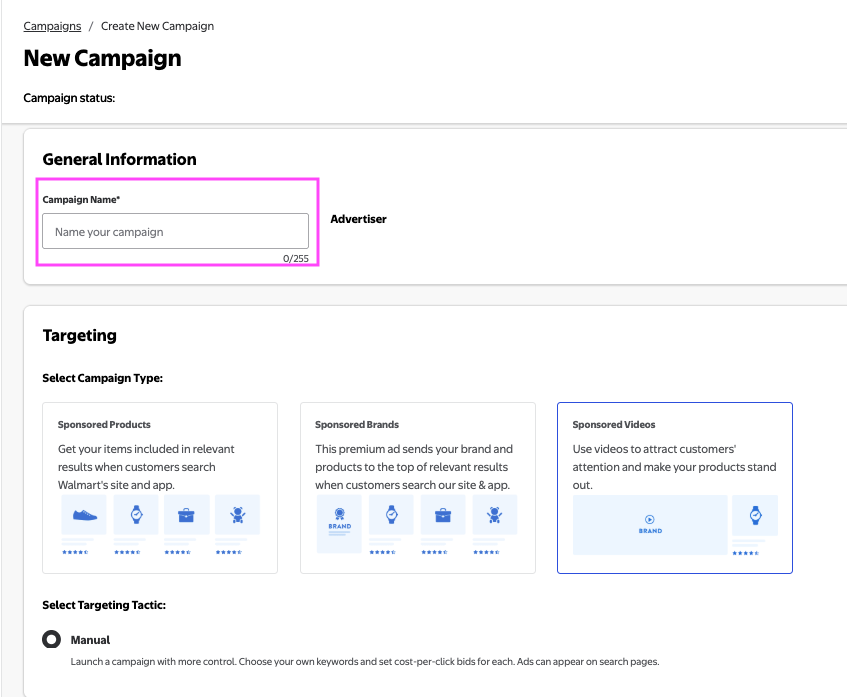
  • Name your campaign. 

Note: If this is your first time creating a campaign in the Walmart Connect Ad Center, we recommend being descriptive with your naming convention. 

Enter campaign name


Campaign type & targeting

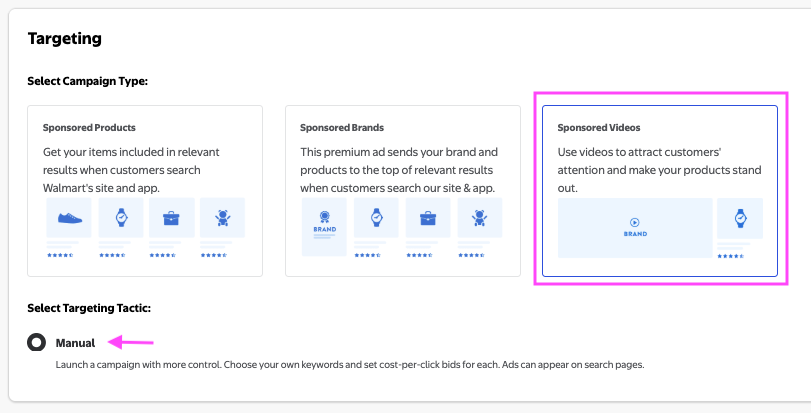
  • Under Targeting, select Sponsored Videos. Manual targeting is automatically selected; bids are set at the keyword level. 
Selecting manual campaign type


Scheduling & budget

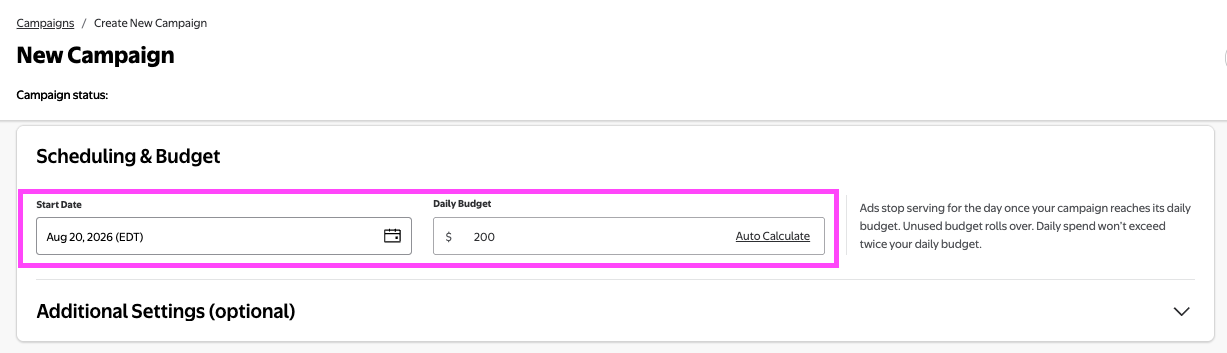
  • In the Scheduling & Budget section, set your campaign duration and budget. 
  • Choose a Start date; selecting the current date (today) will launch your campaign within the hour. 
  • Enter a Daily budget. You cannot launch a campaign without setting a daily budget.
Setting a budget for your campaign
 

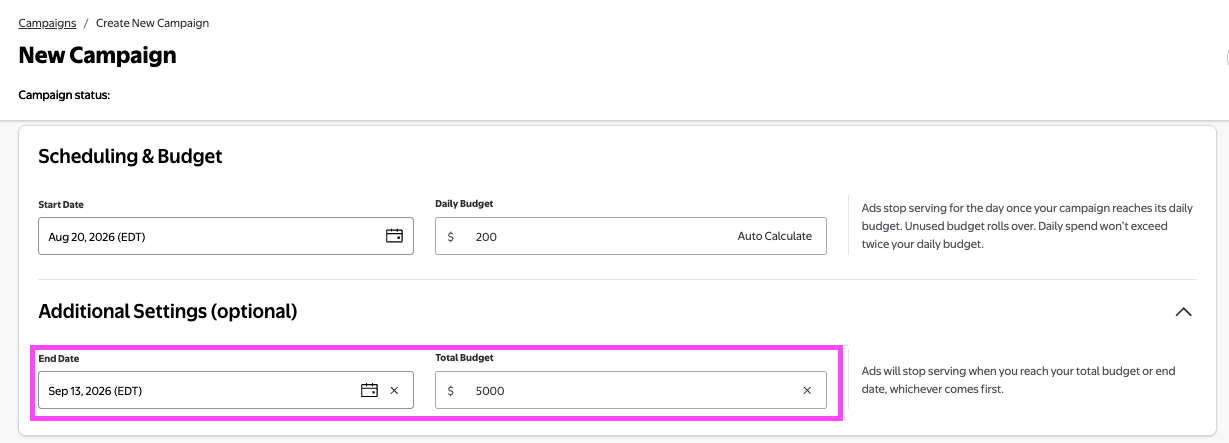
End Date and total budget

  • You can choose to set an End Date and/or a Total Budget. The campaign will stop when either is reached. 


  • Total Budget represents the most you will spend on the campaign. As your account will be charged per ad click, the final campaign spend may be equal to or less than the total budget, but will never exceed it. 
  • If you choose to set a total budget, you must adhere to the minimums below: 
    • First-party advertisers must set a total budget of $50/day
    • Marketplace seller must set a total budget of $50/day or minimum $5,000

Auto calculate daily budget

  • If both end date and total budget are set, Auto Calculate evenly distributes daily spend. If you select it, the system will automatically divide your total budget by the total number of days your campaign will run, to provide an equally distributed amount. 
    • For example, if your campaign is 30 days long and you set a total budget of $6,000, selecting Auto Calculate will set your Daily budget to $200. 
    • With these settings, your campaign will run until either the end date you specified is met or until your total budget runs out. 
 
Save as draft or continue