Relevant to: Sponsored Videos
Getting started
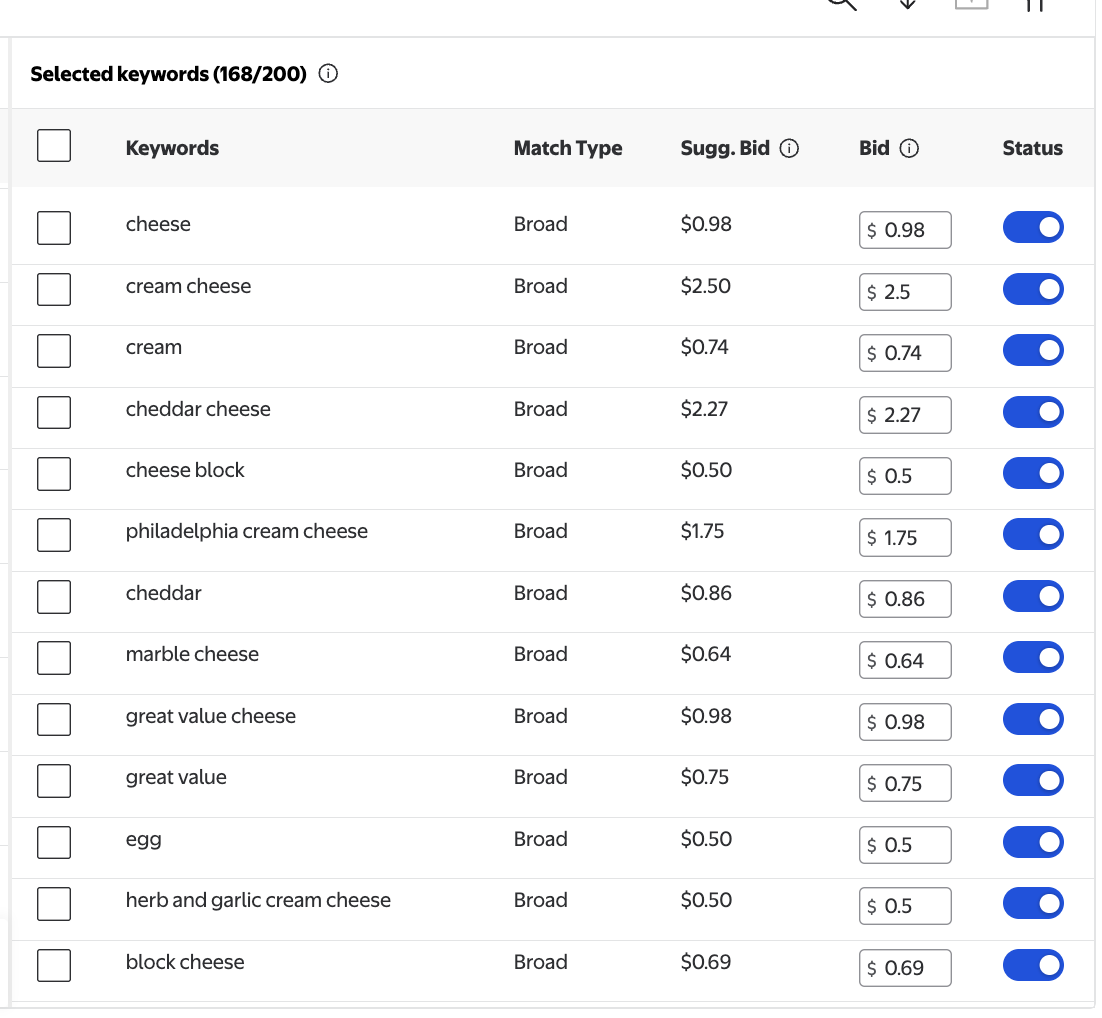
The Selected Keywords section can be used to update bids and change keyword status. It allows you to:
Change bids individually
Update bids to suggested bid values
Disable or enable keywords and match types individually
Sponsored Videos is a manual campaign type, so bids are set at the keyword level with a minimum bid of $0.80 per match type.
Under the Selected Keywords section, review each bid.
Keywords added from the Suggested Keywords tab should reflect the suggested bid values.
Keywords added using the Additional Keywords tab should reflect either the suggested bid value or the value you set in the CSV template.
Bids can be updated individually at the match type level by clicking into the bid field. Update your bids and click Save.