Summary of video specs
|
| - Dimensions: 1280 x 720 px (minimum) with file size maxing out at 500MB
|
- Maximum file size: 500 MB
|
|
|
|
|
- Profile: Main or baseline
| - Frame rate: Minimum 15 fps; 24–30 fps
|
- Bit rate: 516 kbps–2 mbps
|
|
|
|
|
- Sample rate: Minimum 44.1 khz
| - Bit rate: Minimum 128 kbps
|
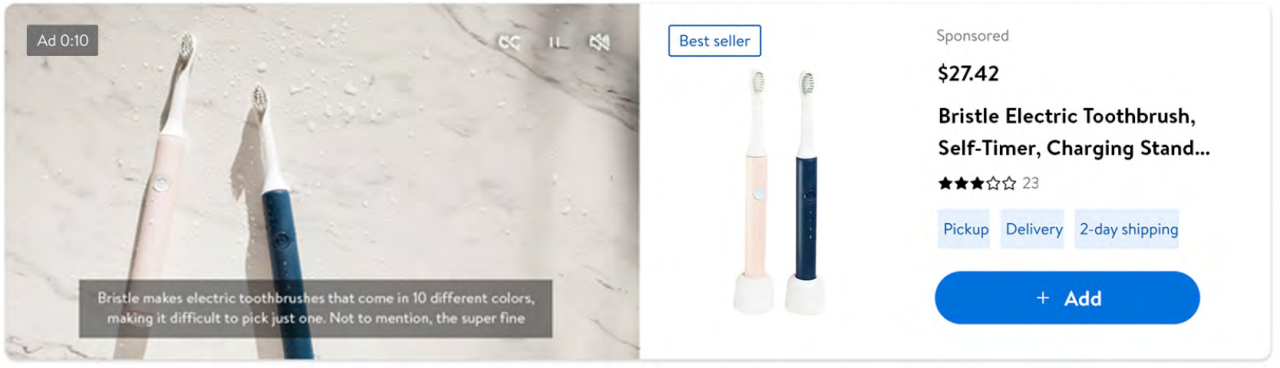
Audio in videos is optional but recommended. Videos do automatically play on mute so customers must unmute to hear any audio. Remember, narration requires closed captioning files be created and uploaded, and accompany the video file. All audio should be included in the video file, not as a separate file. We also recommend including an audio description of video content for low-vision and blind customers. Audio descriptions only play for users who enable them in their accessibility settings, and do not require closed captioning. If you include audio descriptions, they should be included in your video file.
Summary of audio specs
|
|
|
- Sample rate: Minimum 44.1 khz
| - Bit rate: Minimum 128 kbps
|
Best practices for videos
- Keep your videos short and on point. Showcase the product within the first three seconds and deliver the core message within the first five seconds.
- Rely on visuals over narration. Because videos launch on mute, consider showing the product in use. Include simple headlines to get the point across.
- Add closed captions to ensure customers don’t miss important details and for WCAG compliance.
- Ensure the product is shown large enough to be easily seen on all devices and that headlines and captions can be read on a smartphone screen.
- End with your brand logo. Videos automatically play on loop. A final logo gives the customer a moment to absorb the video while keeping your brand top-of-mind.
- Ensure important elements are clearly visible by referencing safezones.