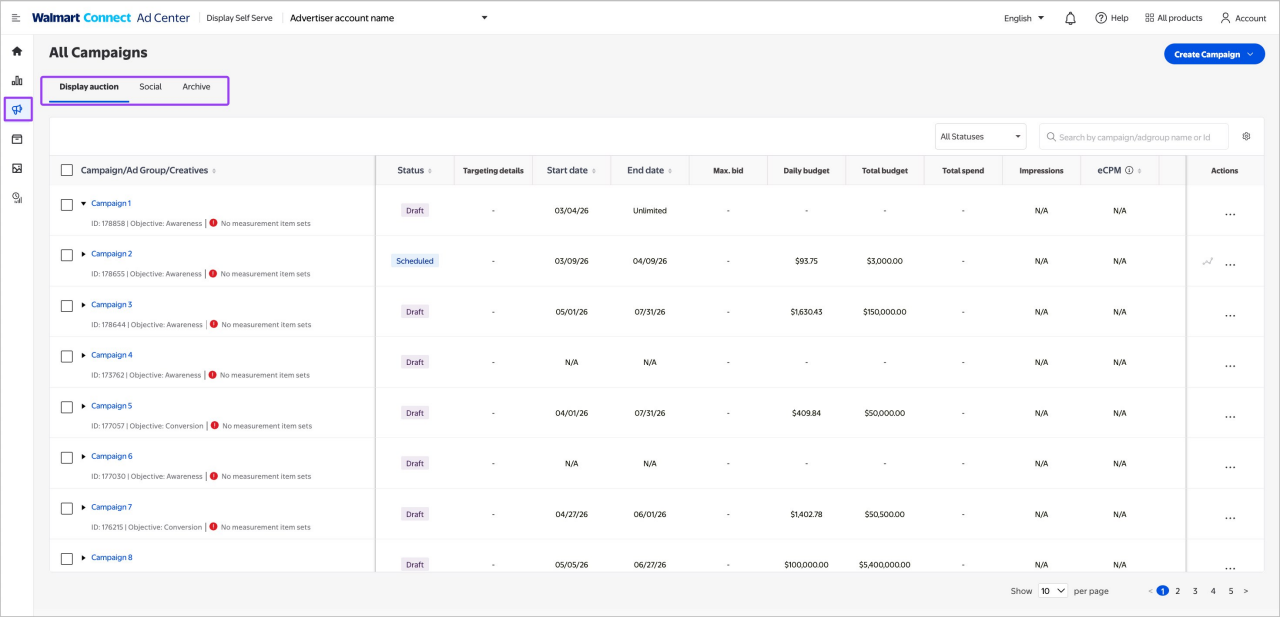
The auction works by setting a minimum and maximum bid, setting a daily or lifetime budget and determining the targeting you want applied. Our platform does the rest. We look at the available inventory within your line’s flight dates and use your bid, budget and targeting parameters to serve your Display ads.
Placements
Walmart Onsite Display campaigns are available on Brand Box, Gallery, Marquee and Skyline placements on desktop, app and mobile. You will need to build all available ad units within the Creative Builder for your campaign. Ad placement availability within the Creative Builder does not guarantee access to inventory.
Targeting
Walmart Onsite Display allows you to apply behavioral, contextual, keyword and Run of Site. You can use these to maximize your ad-serving potential, but you will need multiple line items to apply multiple targeting types. For more information on the targeting capabilities available to you, refer to our contextual targeting.
Reporting
The Display Performance dashboard tracks and reports on Walmart Onsite Display campaigns. To help you optimize and track the bid performance of your campaigns, use the Bid Performance Report. It can be accessed and exported from the Campaign Performance dashboard by selecting the icon next to the campaign from the Campaigns page. The report is available 24 - 48 hours after the launch of your campaign or line item and is refreshed daily.
The Bid Performance Report can provide insights into the overall health of your bidding strategy by exposing key metrics like:
- Valid bids - the number of bids that were accepted into the auction
- Win rate - the ratio of winning bids to valid bids
- eCPM - the effective cost per 1000 impressions
- Delivered impressions - the number of impressions delivered for that campaign
Sales lift reporting is available by request if you set a budget of $125,000 or higher, and the campaign needs to end with $125,000 minimum ad spend and be in-flight for 6-8 consecutive weeks to qualify. Request must be confirmed pre-campaign. The metric will be available 14-30 day post-campaign, to account for omni attribution. Sales lift studies are currently only available for Walmart suppliers with qualified display campaigns.
Note: Eligibility does not guarantee that sales lift measurement will be provided in your end-of-campaign report. Please contact your Walmart Connect representative or customer support to learn more