Advertising Help Centre

Onsite Display Guide

Reach customers when they’re ready to buy and drive impact across the purchase funnel.

Optimizing for success

The information in this article is only applicable to Onsite Display reporting. 

Display Auction optimization guide for Display Self-serve 

We have tools that can help you to plan more effectively and forecast from the ad group setup view to help optimize your ad group from the start. Let’s start there.

Campaign Objective Optimization 

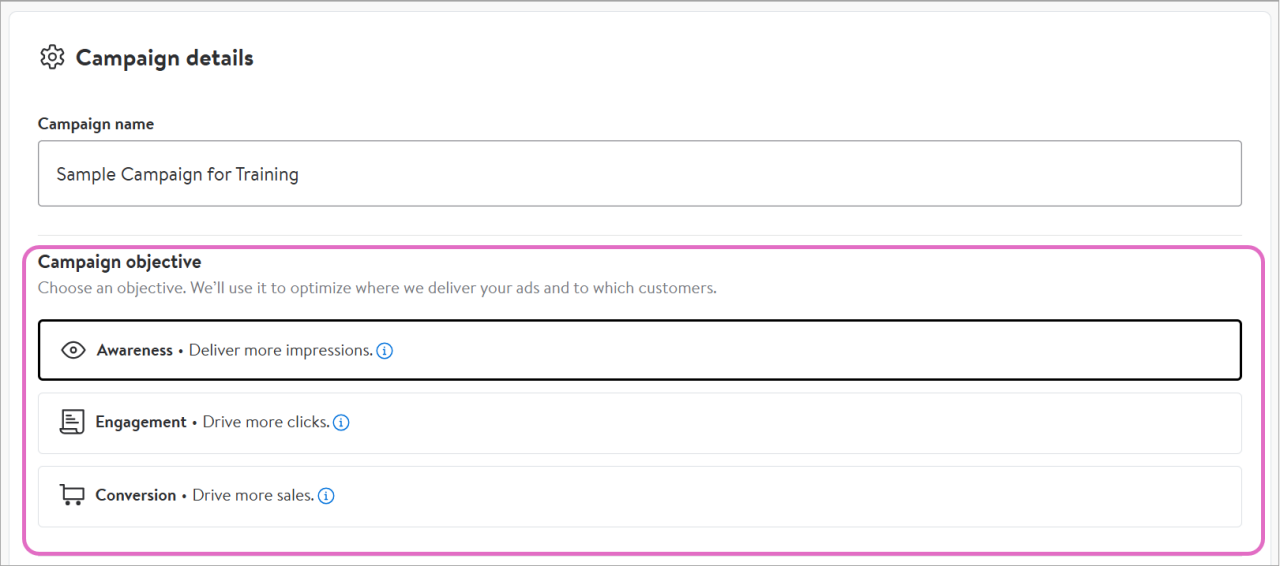
Campaign Objective Optimization uses AI to give you a choice of two optimization modes to establish KPIs and strategic needs during campaign setup, reducing the need to optimize in-flight. Choose between: 

  • Awareness objective: help maximize delivered impressions to Walmart customers; minimize eCPM 
  • Engagement objective: help maximize traffic to an advertiser’s landing page; minimize cost-per-click  

If you choose not to set a campaign objective, Awareness will be selected for you by default. You cannot change your selected objective once the campaign is live (includes paused campaigns).  

For engagement campaigns, we recommend a flight length of at least two weeks.

Depending on the objective you set, there is a learning period of approximately one week where you should avoid making manual optimizations to your campaign and ad groups. Adjusting budgets, flight dates, bid and targeting selections can restart the learning period. 

Selecting campaign optimization objective


The objective you set will cascade to all ad groups within the campaign influencing creative optimizations and campaign-level budgeting. 

Campaign-level budgets 

Campaign dates and budgets can be set at the campaign or ad group level. Campaign-level budgeting and flight dates are shared across the ad groups in the campaign. Setting budget and flight dates at the campaign level enables the platform to make decisions on where to place more or less budget on your behalf. Coupled with Campaign Objective Optimization, the platform can optimize budgets across ad groups on your behalf, aligned to your campaign objective. This means that high-performing ad groups get more budget allocation and poor-performing ad groups get less, while ensuring campaign budget fulfillment remains on pace. 

On day one of flight, the platform divides the budget equally amongst the ad groups (total budget / number of ad groups), then as the campaign progresses the platform will reallocate from lower pacing and performing to higher pacing and performing to maintain overall campaign delivery and objective performance.  

Make sure to choose flight dates that encompass all the ad groups within the campaign as well as set a budget large enough to cover the potential pacing and performance needs of your ad groups. With help on figuring out campaign-level budgets, use the estimated performance tool in each ad group to see potential lifetime spend.  

Forecasting

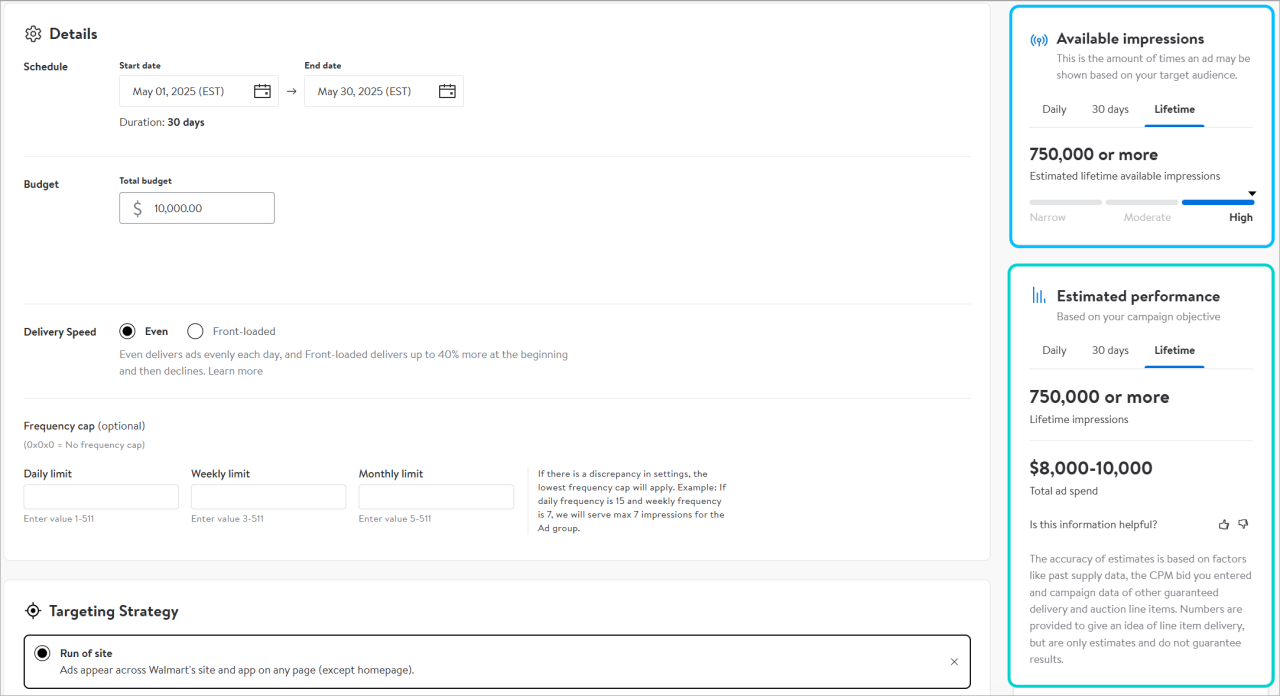
The first step to ensure ad group delivery is to confirm that your reach estimate (available impressions) is either moderate or high.

Reach estimate (available impressions) is the estimated average daily impression opportunity available shown at the daily, 30-day, and lifetime level. It allows you to effectively plan and optimize your Display Auction campaigns by providing an insight into available impression volumes. Reach estimate forecasts a range of daily impressions based on these parameters:

  • Budget
  • Targeting tactics
  • Location (optional)
  • Flight dates

If your reach estimate is narrow, try adjusting your targeting tactics and/or flight dates. The forecasting tool provides tips on how to improve your estimate if it is narrow. 

Next, set your base and max bids and use delivery estimate (estimated performance) to forecast daily available impressions.

Delivery estimate is the average range of impressions forecasted for the entered targeting, flight dates, budget and bid combination. This forecast only appears once a max bid is entered. It also provides estimated ad spend range. 

The platform will provide a recommended bid. This recommendation gives you insight into how much other advertisers are paying for similar targeting (behavioral, category, keyword or Run of Site) and is updated regularly. Use this to determine your base and max bid range. The recommended bid should fall somewhere between your base and maximum bids, depending on your budget and eCPM allowance and key performance indicators. Your maximum should be the most you’re willing to pay for available inventory. Bids can be adjusted at any time including when your ad group is in-flight.   

Display Self-serve uses a first-price auction pricing model with dynamic bidding. Dynamic bidding takes your base bid and adjusts it up or down, depending on campaign pacing and campaign objective. The platform will never bid above your max bid.


Viewing reach and delivery estimates


Use the forecasted delivery range to set a bid range. Delivery is likely to change throughout the campaign, depending on the dynamics of the auction on any given day. You can also adjust bids during flight; check your line’s delivery estimate periodically to determine if changes are needed.

Finally, set your budget based on the estimated ad spend. Remember budget can be adjusted at any time including in-flight.

Optimizing in-flight

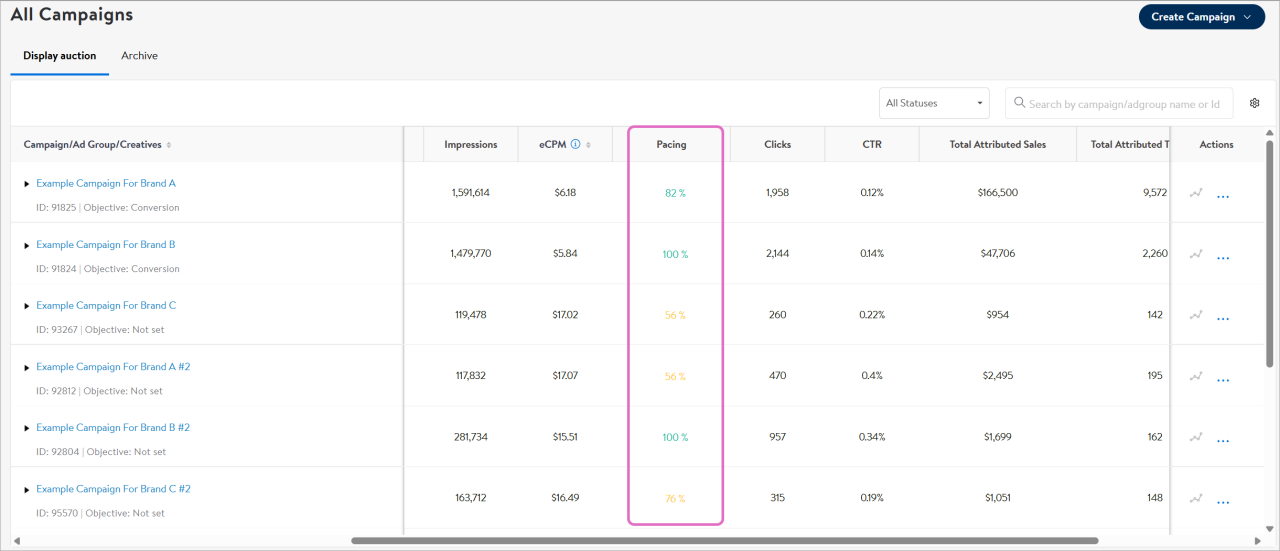
Once your Display Auction ad group is live, you can use the pacing indicator on the All Campaigns page to monitor the delivery progress of your lines. The pacing indicator provides a color-coded delivery percentage indicating whether the line is pacing as expected. There is a 6-8 hour delay in pacing metrics within the All Campaigns tab.

Use the colour coding to determine which lines need your attention. 

  • Green – ad group delivery pacing is normal
  • Orange – ad group is slightly underdelivering or over-delivering

Red – ad group is out of range and needs attentions

Using pacing indicators to optimize


The connection between color and percentage varies depending on certain factors, so pay close attention to the color and not as much to the percentage.  
  
Note: Pacing is refreshed every 24 hours after campaign or ad group launch. 

Optimizing an under-pacing line

Remember that ad group delivery may fluctuate, so there may be instances where your ad group is under-pacing/under-delivering (not pacing/delivering enough to meet set budget). To help remedy this, open the ad group and check the reach and delivery estimate forecasts. If these numbers have changed, consider adjusting your max bid, frequency caps, targeting and flight dates. We recommend waiting 48-72 hours before making bid adjustments. 

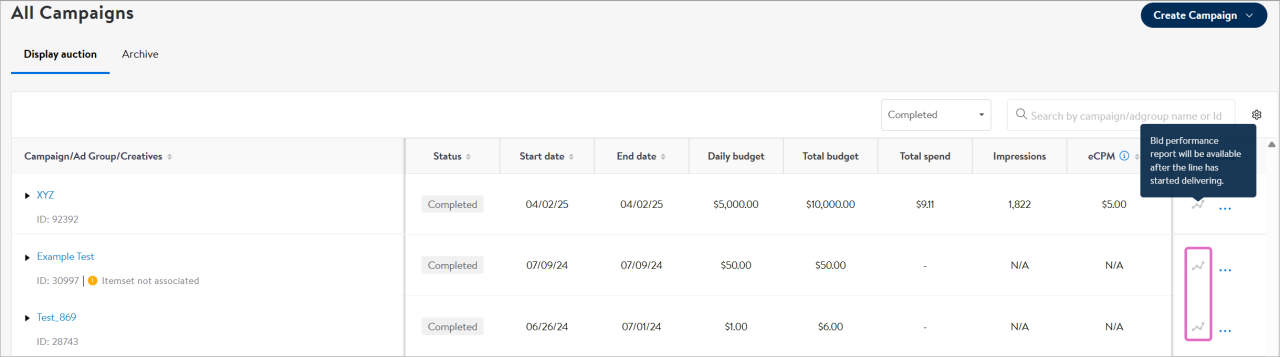
If the forecast from the reach and delivery estimate still shows enough available impressions, consult the Bid performance report, found by selecting the graph icon on the Campaign management page or by selecting the campaign’s performance page from the dropdown.

Using bid performance to optimize


Check the win rate in the Bid performance report of the ad group in question. Use win rate with the ad group’s pacing percentage. Win Rate is the ratio of valid bids submitted in the auction to impressions delivered, but it doesn’t equate to share of voice. It focuses on the auction environment while share of voice focuses on spend relative to a specific competitive set. There is no “optimal” win rate value. It depends on targeting, budget, competition and pacing.  

If your campaign/ad group shows: 

  • High pacing and low win rate – could mean there is sufficient inventory in a less-competitive category; no action needed 
  • Low pacing and low win rate – could mean that the ad group is not competitive enough or the inventory is insufficient for the set budget; try adjusting targeting selections, bids, budget, and/or frequency caps 
  • High pacing and high win rate – could mean there is competition with limited inventory; check your 30-day and lifetime reach and delivery estimates to confirm inventory availability and then try adjusting ad group setup as necessary 
  • Low pacing and high win rate – could mean that the bidding and targeting combination aren’t sufficient for expected budget delivery; try expanding your targeting selections and increasing max bid, and, if necessary, decreasing budget from ad group 
  • Moderate pacing and low win rate – could mean that there is a lot of competition; try incrementally increasing max bid and monitoring pacing changes after increase 
  • Moderate pacing and high win rate – could mean that ad group set up may be hindering pacing; try increasing max bid if eCPM is close to your max bid and/or adjusting targeting selections or frequency caps