This article provides an overview of keyword recommendations, including how they work, where to find them and how to use them.
Advertising Help Centre
Sponsored Search Guide
Showcase your product to millions of shoppers directly in their search results. This guide covers key topics for using our self-serve platform.
Keyword recommendations
Keyword Recommendations
Keyword recommendations automatically identify keywords with the potential to enhance item visibility and boost sales for live Sponsored Products Manual campaigns (including Sponsored Brands and Sponsored Video campaigns)— based on in-flight campaign performance and organic customer search behaviour.
Advertisers can save time and effort by easily reviewing recommendations and selecting which keywords to apply that align with their campaign goals and strategies. Keywords are then added to in-flight campaigns to optimize performance.
How keyword recommendations work
Walmart’s algorithm analyzes the performance of an advertiser's active campaigns and Walmart organic search data to surface the top new keyword opportunities that can help boost campaign performance.
Keyword recommendations are available seven days after the campaign launch and are refreshed daily.
Accessing keyword recommendations
Find recommendations directly in Ad Center through the Add new keywords experience on the Dashboard and Recommendations page. From there you can:
- Review recommendations
- Select Apply to add recommended keywords using the platform's suggested bids
- Select View recommendations to review before applying, at the campaign or ad group level
- Request a downloadable recommendations report from On-demand reports
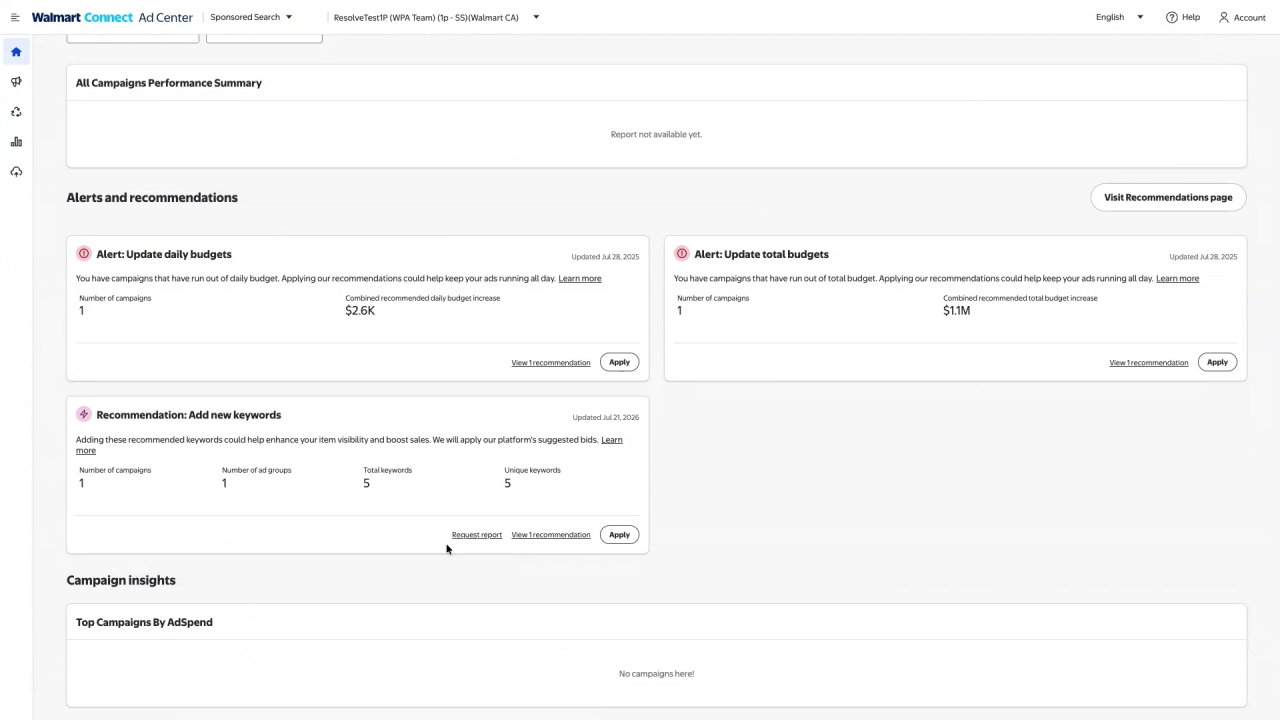
1. Ad Center Dashboard - Alerts & recommendations card
- A card, Recommendation: Add new keywords, shows counts: number of campaings, number of ad groups, total keywords, and unique keywords.
- To add all your recommended keywords to active campaigns, select Apply. All keywords will be added using the platform's suggested bids.
- After you apply all recommended keywords, a confirmation will appear.
- If an advertiser would like to review keywords before applying them, select View Recommendations and apply them at the campaign or ad group level.
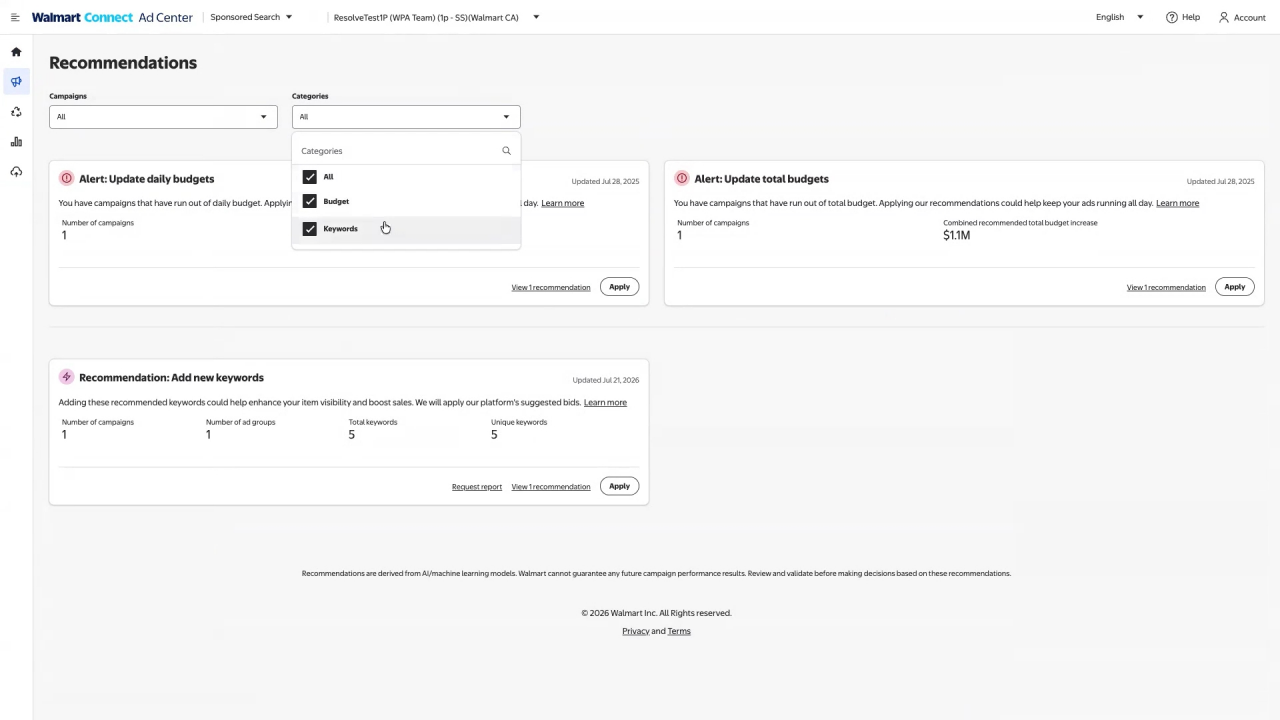
2. Recommendations page
- Filters for Campaigns and Categories
- Shows cards for budget and keyword recommendations; an advertiser can open the recommendations modal or request on-demand reports.
3. Add new keywords
- Lists campaigns with an option to expand and view ad groups. Each ad-group row shows unique keywords and total keyword counts. Click Apply to add keywords.
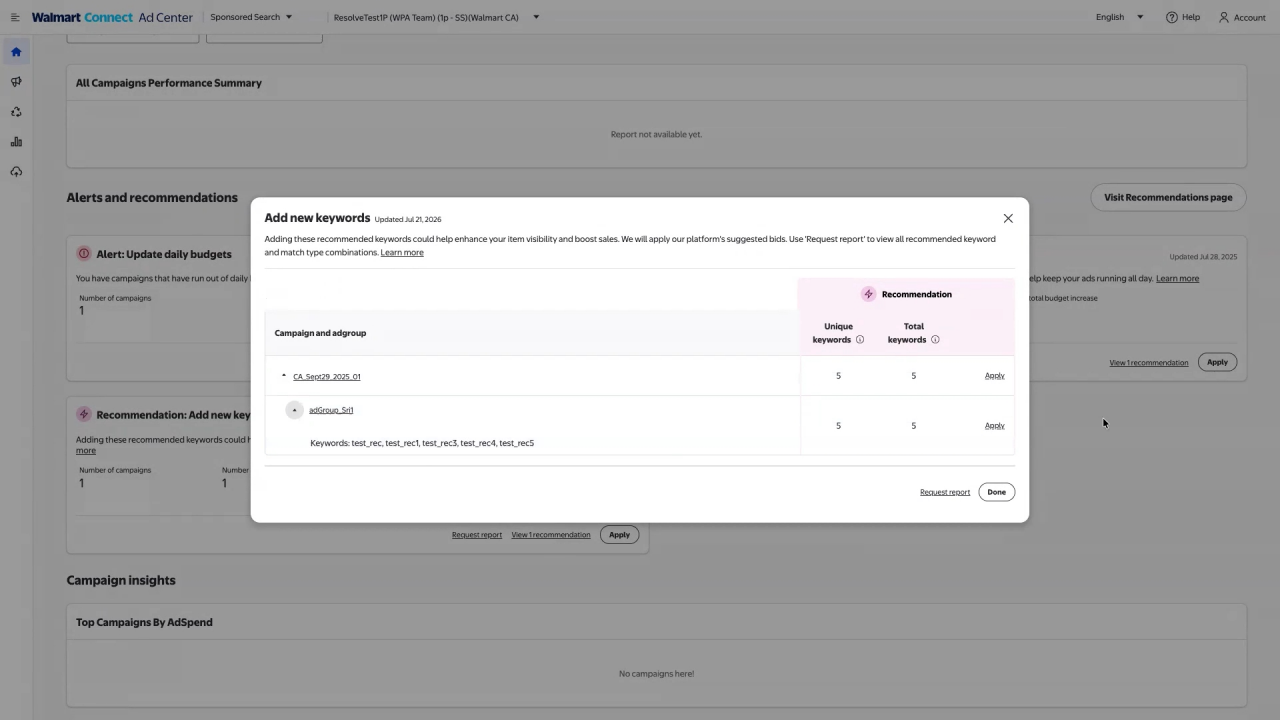
- Applying recommendations inserts keywords into the Keywords card Selected keywords column with suggested match types and suggested bids; an advertiser can then edit bids as needed.
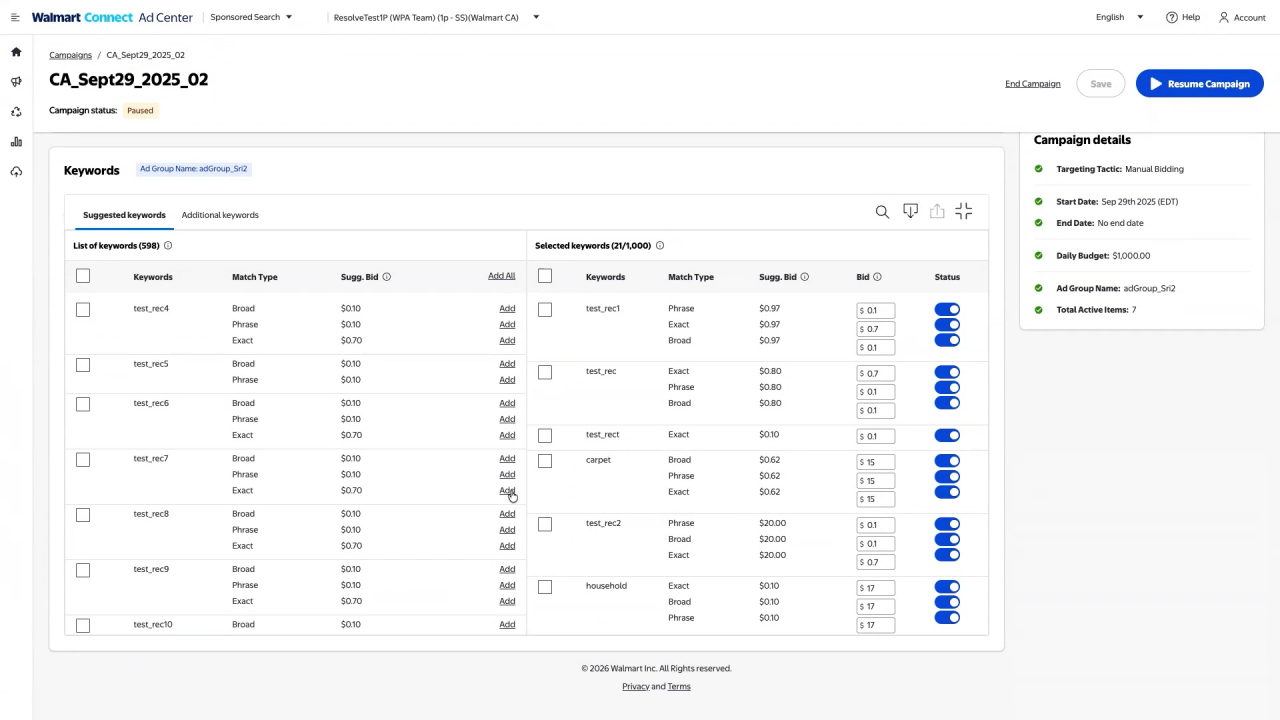
4. Accessing Keyword Recommendation reports
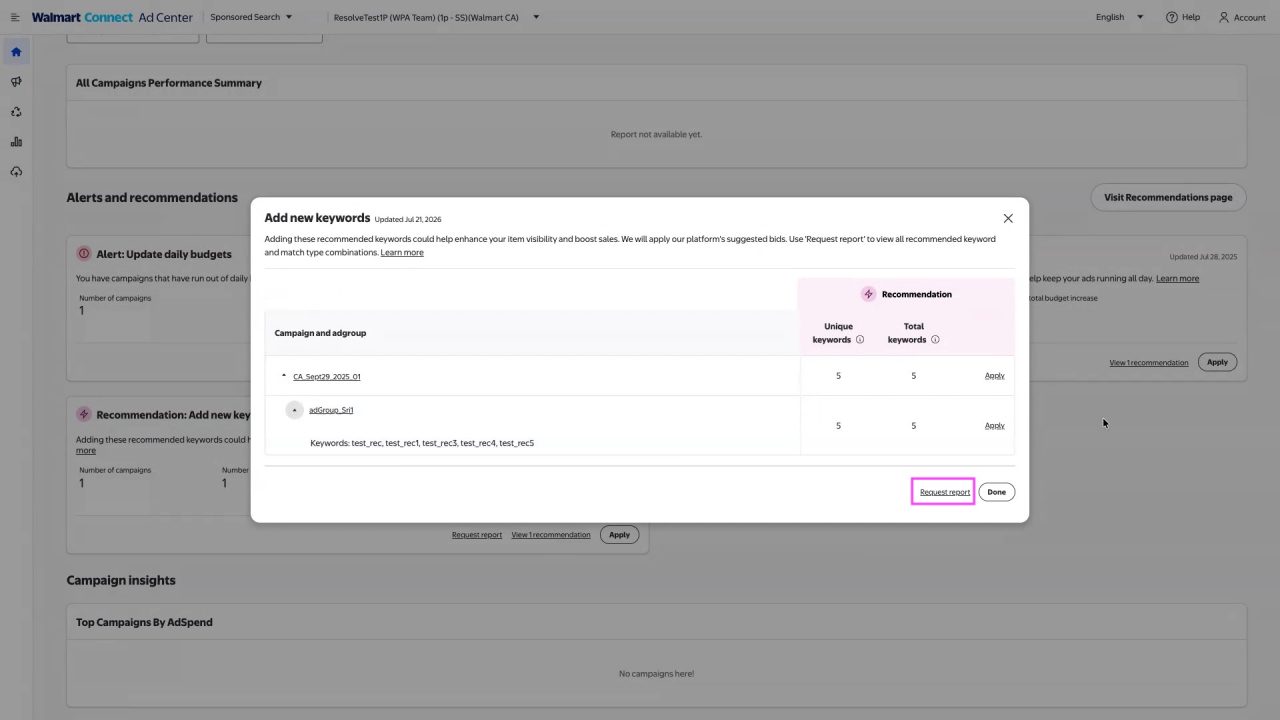
- Access the full report by selecting Request report in the widget on the dashboard.
- An advertiser will be redirected to the On-demand reports page to downloand.
- Up to 20 keywords per ad group are provided as recommendations in the report. Recommended keywords are mapped to Manual campaigns and ad groups, with suggested bids for each.