

Advertising Help Centre

Onsite Display Guide

Reach customers when they’re ready to buy and drive impact across the purchase funnel.

Brand Box

Brand Box is an Onsite Display ad unit available on item pages with a high-visibility placement and sticky desktop display, delivering improved viewability and increased engagement.  

Onsite banner placements are built using the Walmart Ad Center Creative Hub. Below you will find both the maximum size inputs and the final delivered assets.

A single image and logo is delivered, then the ad will render across our site using those, with dynamic versions based on the user's device type. In the Creative Hub, you will upload a single image for all assets which will then be resized. You can either continue to use that, or replace individual units with their pixel perfect image sizes (found below).

Inputs:

Note: You can deliver pixel perfect specs, per the below, or an image following these specs that will be resized in platform

  • 10MB maximum file size
  • Maximum dimensions 5000px x 5000px


Outputs / pixel perfect inputs:
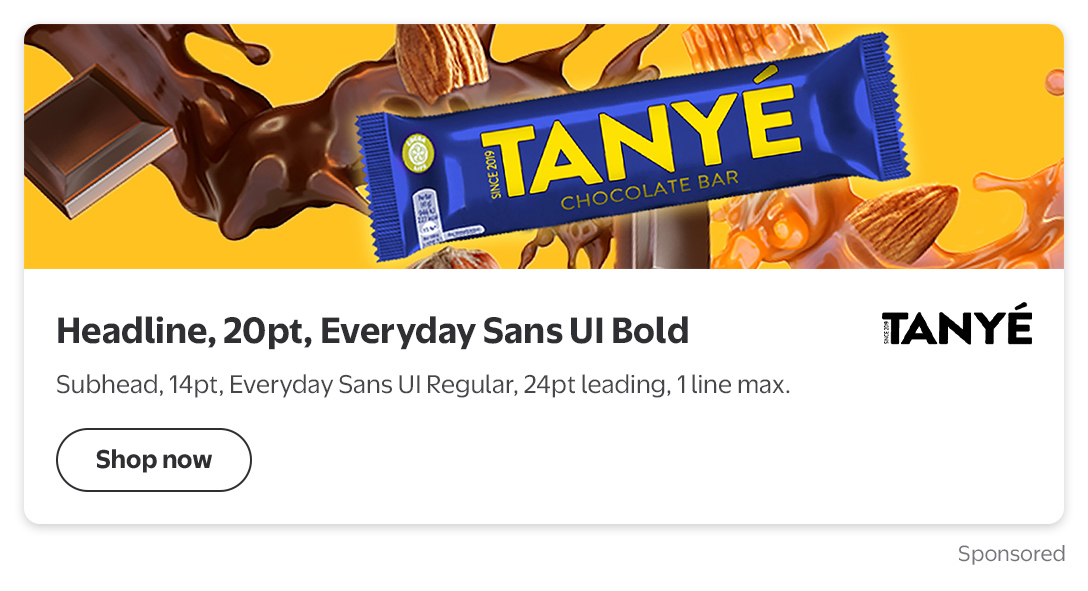
Delivery Assets Delivery Dimensions JPG PNG (transparent)
Lifestyle image 1088 × 356
Logo 150 × 150


Character Counts

  • Headline - 25
  • Subheading - 55
  • Button CTA - 16
  • Disclaimer - 600
 

Notes:                                                                                    

  • Position: Below the Buy Box or under the product details
  • Experience: Sticky as user scrolls, collapses at end of customer reviews
  • Additional notes:
    • Copy card is mandatory
    • Copy card and font colors cannot be changed
    • Logo is required
    • Logo must be a .png with a transparent background
    • Logo is anchored top & right
    • Optional Shop now CTA

Preview

Brand box ad unit

For design templates to use in advance of creating your ad in the Creative Hub, see our Creative templates guide here.