Note: You can view featured and halo performance using the item set selector within Walmart Connect Ad Center. Total is the sum of featured and halo sales and represents the total impact of your campaign.
Best practices for measurement item sets
When creating your campaign, you assign measurement item sets in order to measure both featured and halo sales.
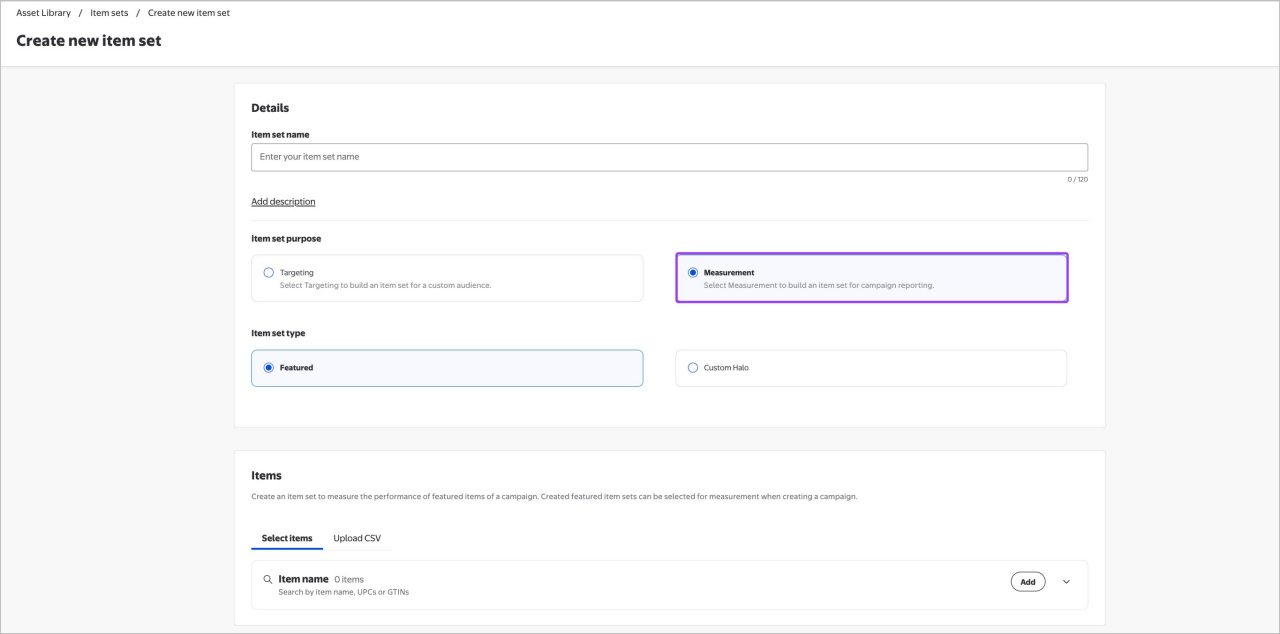
When building featured measurement item sets:
- The featured measurement item set should include items specifically advertised in the Display campaign’s creative and messaging, including variations of the items.
- It is not recommended to include other items that are not directly advertised in your creative and messaging, these items should be included in the halo.
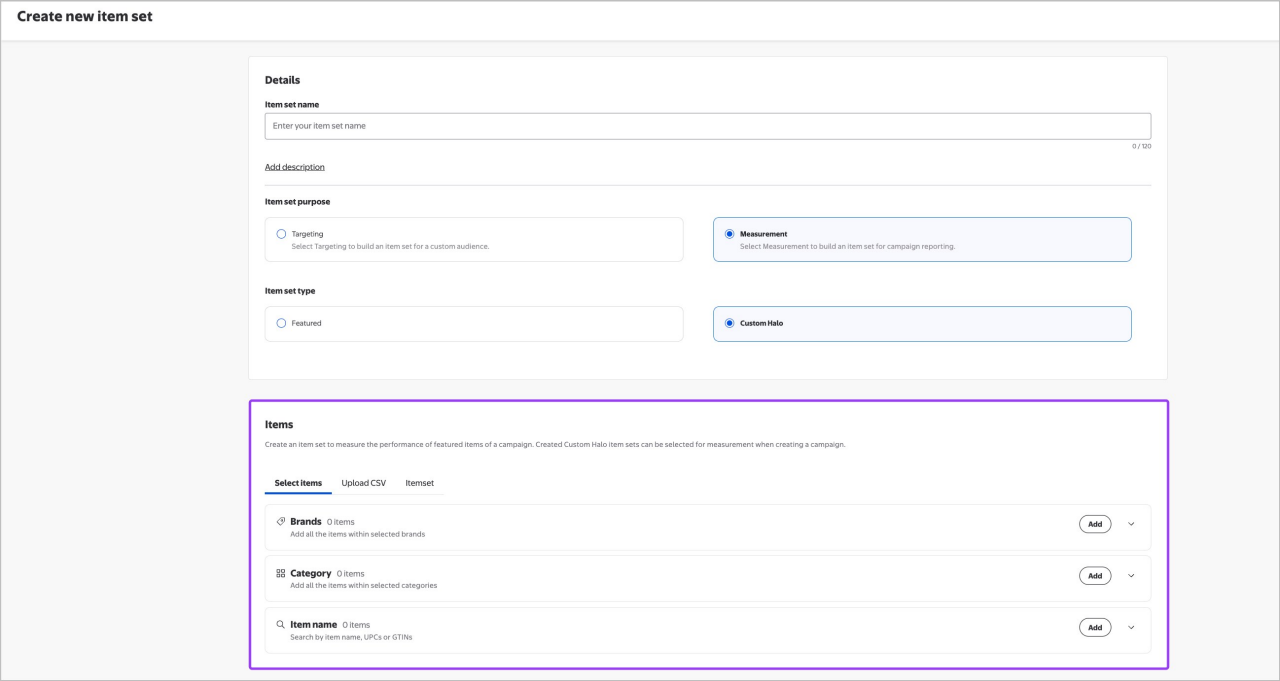
The halo measurement item set can be one of the following options:
- Category based Halo: Measures attribution within the same category
- Brand-based Halo: Attribution across all categories for the brand
- The halo measurement item set should include items beyond those specifically advertised in the campaign's creative, that are part of the same categories(s) and/or brand(s) as the featured items.
- Items from the featured measurement item set are excluded in the halo measurement item set.
Note: Measurement item sets should be created prior to campaign launch. If there are no item sets attached to a campaign, there will be no attributable sales metrics reported for that campaign.
Building a measurement item set
Featured and halo measurement item sets can either should be created within Campaign Manager and/or created within Asset Library. while setting up a new campaign
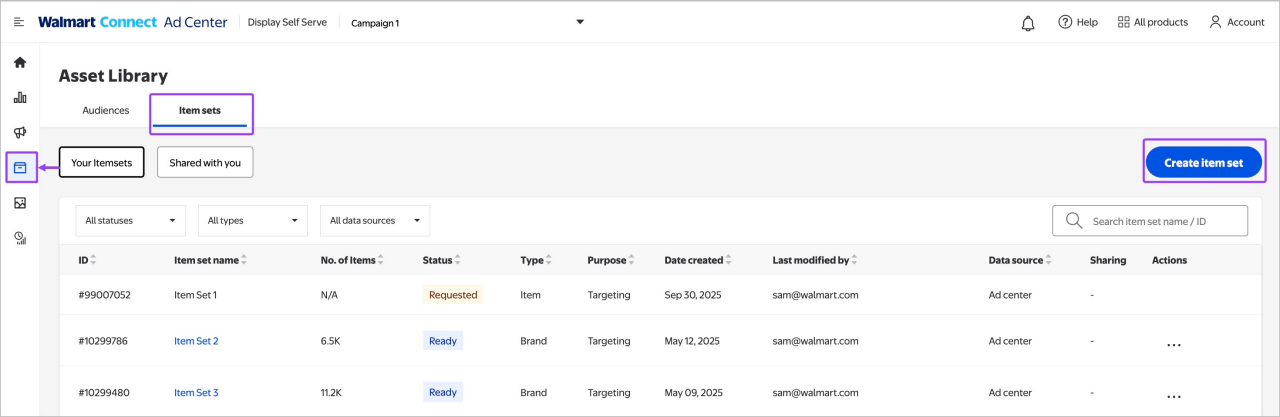
You can build both a featured halo measurement item set in Asset Library. Automated halo item sets can be appended to a campaign within Campaign Manager.
- Navigate to Asset Library.
- Select the Item sets tab.
- Once on the Item sets tab, select Create item set. This will open the item set builder.