Advertising Help Centre

Onsite Display Guide

Reach customers when they’re ready to buy and drive impact across the purchase funnel.

Geotargeting

Geotargeting allows you to refine your campaign by targeting specific Canadian geographic locations, including province, cities, and Postal Code (by first 3-digits, or Forward Sorting Area).  

Enabling geotargeting

You can enable geotargeting in the ad group setup page and in the Asset Library (when building a rule-based custom audience). 

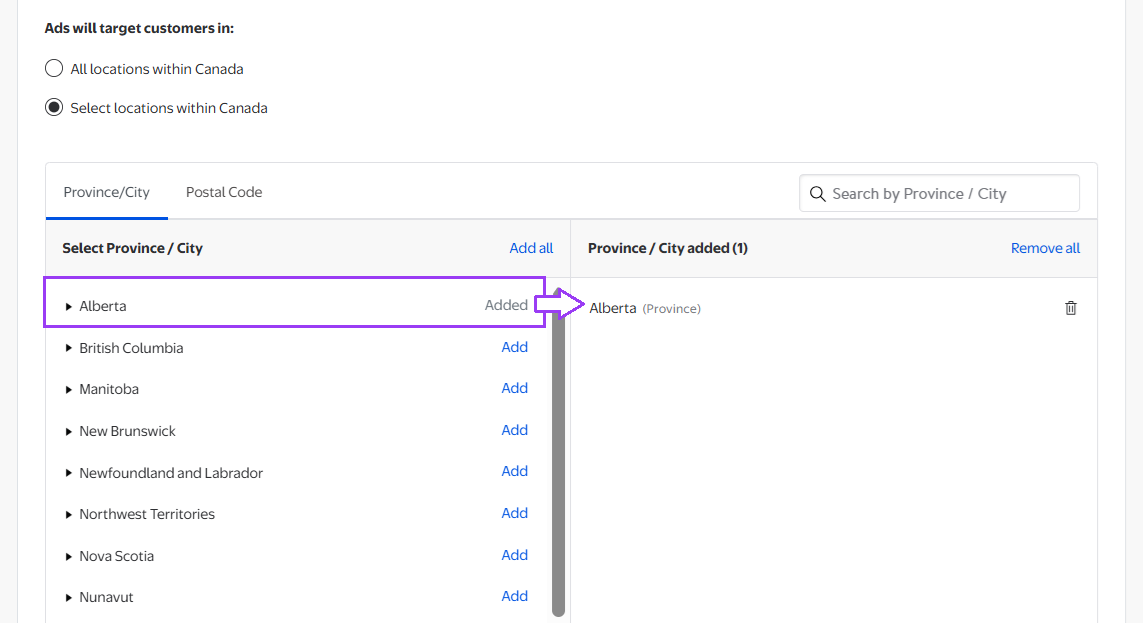
Navigate to the Location section of the ad group setup page. By default, it's set to All locations within Canada.

Selecting geotargeting


To enable geotargeting, select Select locations within Canada This will reveal detailed geotargeting options.

Selecting locations


Geotargeting options

Once geotargeting is enabled, you can choose from three tabs: 

  • Province
  • City
  • Postal Code (by first 3-digits – Forward Sorting Area or FSA)

By province or city

Find and select a province: Scroll the list or use the search bar. Select Add next to one or more provinces. 

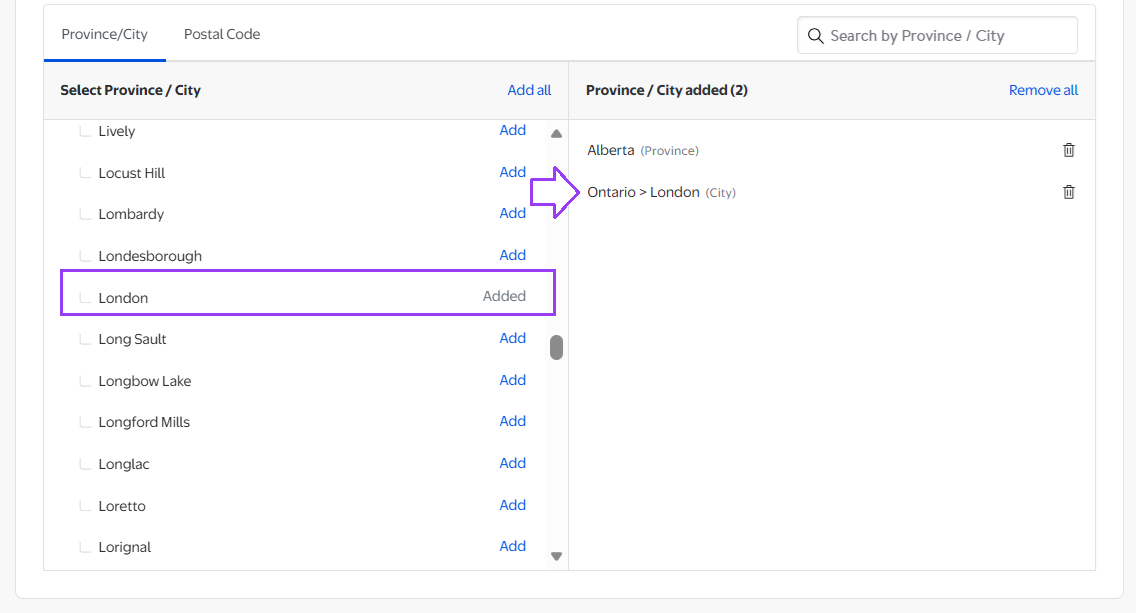
Find and select a city: Select the arrow next to the state name to expand the list of cities. Select Add next to one or more cities. 

Added locations appear in the Targeting Basket

Adding locations


By Postal Code

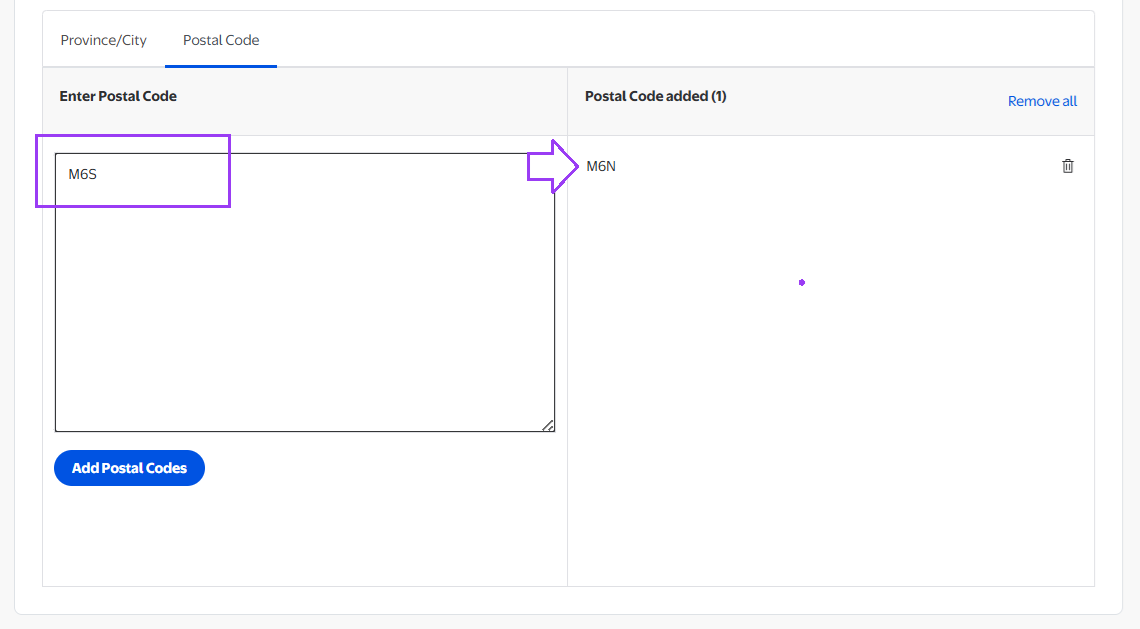
Select the Postal Code tab to target by postal code. 

To add Postal Codes: Enter one or more postal codes (comma- or line-separated). Select Add Postal Codes to enable. Postal Code targeting is done by first 3 digits, or Forward Sorting Area (FSA).

Select location by postal code


Note: Postal Code targeting can’t be used to infer or target based on ethnicity or income. 

Editing and removing locations

For all targeting methods: 

  • To remove a single location, select the trash can icon. 
  • To remove all selections, select Remove all in the Targeting Basket.

Things to keep in mind

Geotargeting can affect reach and delivery estimates. Adding location constraints may reduce the number of eligible impressions. For additional information, visit the Inventory and forecasting tools guide