



This article guides you on getting started with a Canadian Onsite Display advertising account and how to access your Canadian Onsite Display advertising account.
Start by visiting the Walmart Connect Ad Center for Canada.
Reach customers when they’re ready to buy and drive impact across the purchase funnel.
This article guides you on getting started with a Canadian Onsite Display advertising account and how to access your Canadian Onsite Display advertising account.
Start by visiting the Walmart Connect Ad Center for Canada.
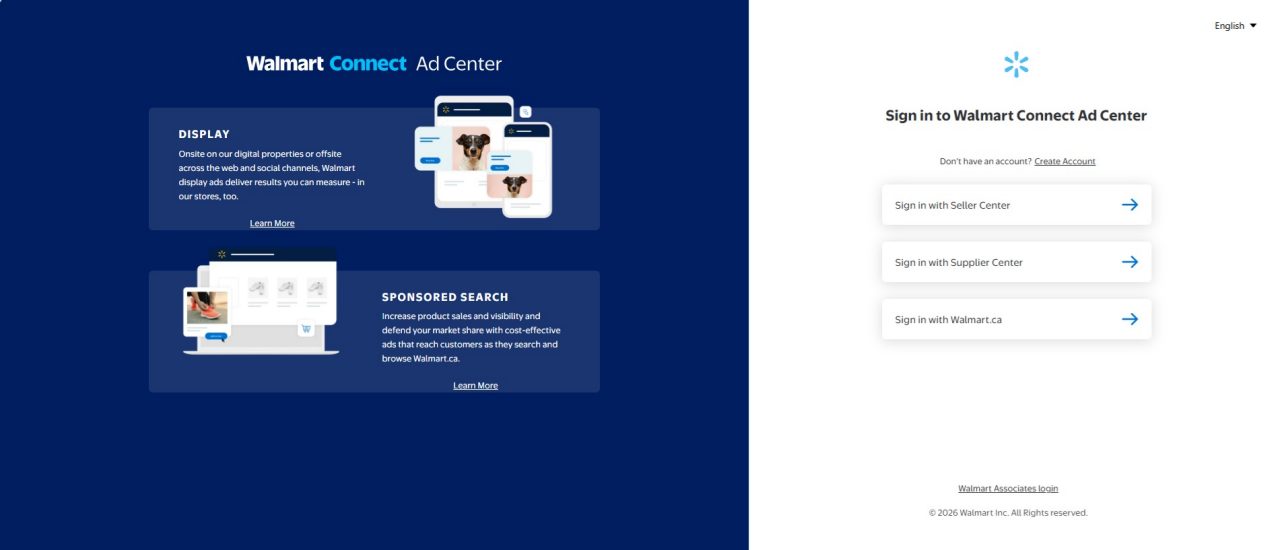
How to log in
With your Supplier Center, or Walmart.ca credentials:
When signing in, enter your work email address to access the Walmart Connect Canada Ad Center. Your email will be used to verify your account within our system.
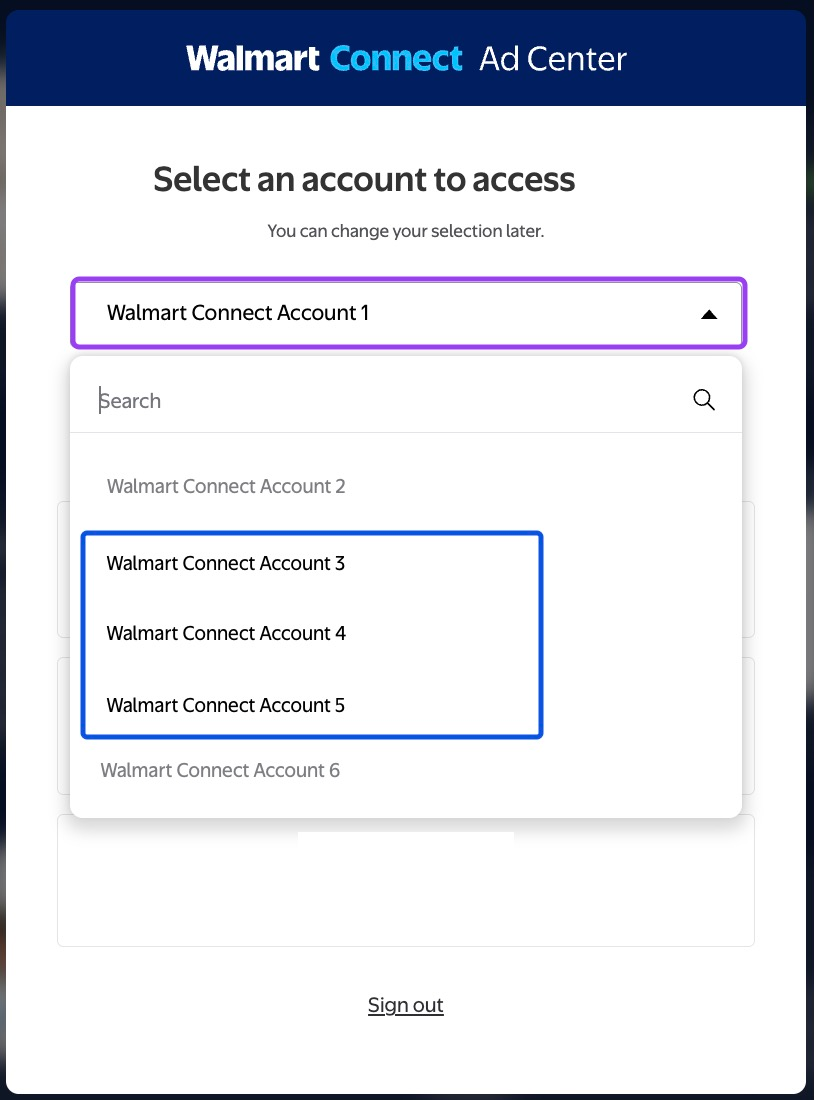
Now that you’re in the platform, select your advertising account from the dropdown menu.
You’ll then be prompted to complete a few additional steps, including two-factor authentication, to confirm your identity.
Note: The first time that existing/returning advertisers see this new interface, they will need to either search for their desired advertising account or select their desired advertising account from the drop-down.
If you have login issues:
How to request a new Onsite Display advertising account
For new Walmart Connect Canada advertisers:
1. Request your account
If you are a Walmart Supplier who does not have an existing Canadian Onsite Display advertising account, please contact your Client Partner or email info_WMC_CA@walmart.com with the information listed below.
Note: You must have an active account with Retail Link/Supplier One and a Supplier ID to get started. Without having an active Retail Link/Supplier One account first, you will not be able to onboard with Walmart Connect.
2. Receive welcome email
After our team receives all necessary information, we’ll create your Onsite Display advertiser account. Once it’s created, you will receive a welcome email from our team to help you get started with Display advertising.
Frequently asked questions
Where can I find my Vendor ID?
Find your Vendor ID by logging into Supplier Center (Retail Link). The ID will be the number below or next your company name.
How long does the onboarding process take after I submit a request?
For 1P Suppliers, generally, this process may take up to one week (five business days), depending on your account type and the information provided.
How can I get help with onboarding?
If you need additional help with onboarding that isn’t covered in this guide contact us at Info_WMC_ca@walmart.com.
How will I be charged for my ad spend?
For 1P Suppliers, campaign-level invoices will be billed monthly and can be paid via wire transfer, direct deposit, electronic funds transfer (EFT) or cheque.