

Advertising Help Centre

Onsite Display Guide

Reach customers when they’re ready to buy and drive impact across the purchase funnel.

Accessing item information as a Walmart supplier

You can access item information in Supplier One and learn how to set and customize your catalog. You can save a default view and select the attributes that appear in the item and item configuration tables.  

Access the Supplier One catalog

Sign in to Supplier One using your Walmart Retail Link credentials to get started. Select Catalog from the left-hand navigation under Items and inventory.
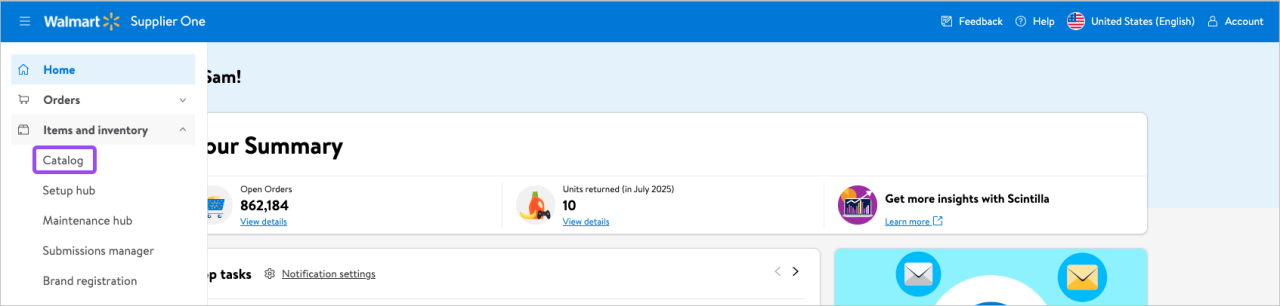
Access the Supplier One catalog


Choose the corresponding view of your catalog items

To choose your view of catalog items, follow the step-by-step instructions in the Set and Customize Your Catalog View guide in Supplier One. 
 

Export your catalog items

To export your catalog in read-only or as an editable spreadsheet for products and item configurations, follow the step-by-step instructions in the How to Find GTINs Using Your SKUs guide in Supplier One. 


Find and sort GTINs

To find and sort GTINs in your spreadsheet, follow the step-by-step instructions in the How to Find GTINs Using Your SKUs guide in Supplier One.  


Related content

For more information on the Catalog section in Supplier One, please review these Supplier One guides