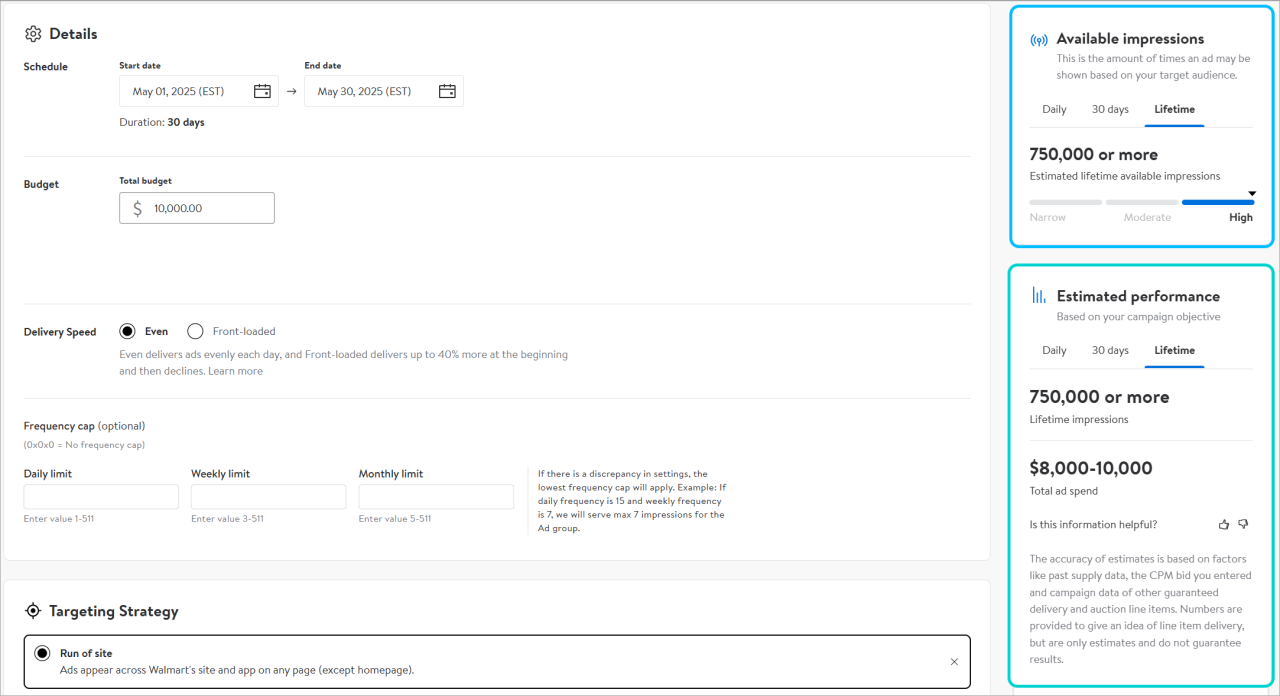
Note: Remember the impression numbers you see are only an estimate of what is available.
Inventory
Display Auction works by setting a minimum and maximum, setting a daily or total budget and determining the targeting you want applied, then our platform does the rest. We look at available inventory within your ad group's flight dates and use your bid, budget and targeting parameters to serve your Display ads.
Display Auction budgets can be set as Lifetime or Daily. If you select Total, the system evenly paces out your budget amount throughout the flight of the ad group. If you select Daily, our ad spend will be deducted from that set limit, but that limit will refresh daily until the end date of the ad group. You cannot switch between budget type once the ad group is in-flight, but you can adjust budget value. Inventory is not reserved in advance.
Your base bid is your initial bid, and it is used to inform bid price while your maximum is the highest amount you are willing to pay for auction inventory. Both bid values are factored into your overall bid price for eligible inventory. The platform will provide a recommended bid. This recommendation gives you insight into how much other advertisers are paying for similar targeting (Behavioral, Category, Keyword or Run of Site) and is updated regularly. Use this to determine your base and max bid range. The recommended bid should fall somewhere between your base and maximum bids, depending on your budget and eCPM allowance and key performance indicators. Your maximum should be the most you’re willing to pay for available inventory. Bids can also be adjusted while the ad group is in-flight, so there's no pressure to commit to values.
Pacing tools
The Walmart Connect Ad Center platform utilizes pacing algorithms that help each ad group deliver the budget in full while being mindful of the campaign’s selected objective. The initial pacing controls come from the Budget Type selection where you can either control the budget using a Daily or Total approach.
However, if on any given day during your campaign’s flight, the budget is "under-spent," the pacing mechanisms will attempt to catch up on consecutive days and help deliver each ad group in full by taking the unused budget in a rollover fashion.
The platform will also optimize your campaigns and ad groups towards the objective you selected during campaign creation the following goal:
- If Awareness is selected, the platform will help maximize delivered impressions while trying to minimize eCPM.
- If Engagement is selected, the platform will help maximize traffic to an advertiser’s landing page while trying to minimize cost-per-click
Depending on the objective you set, there is a learning period of approximately one week where you should avoid making manual optimizations to your campaign and ad groups. Adjusting budgets, flight dates, bid and targeting selections can restart the learning period.
For both budget types, Total and Daily, the system will try to deliver impressions almost equally on each day of the duration of the campaign, unless delivery speed is adjusted to front-loading. However, the ad server does have a feature that will activate to reduce under delivery, and help deliver each ad group in-full by taking the "unused" budget and rolling it over to the following day.
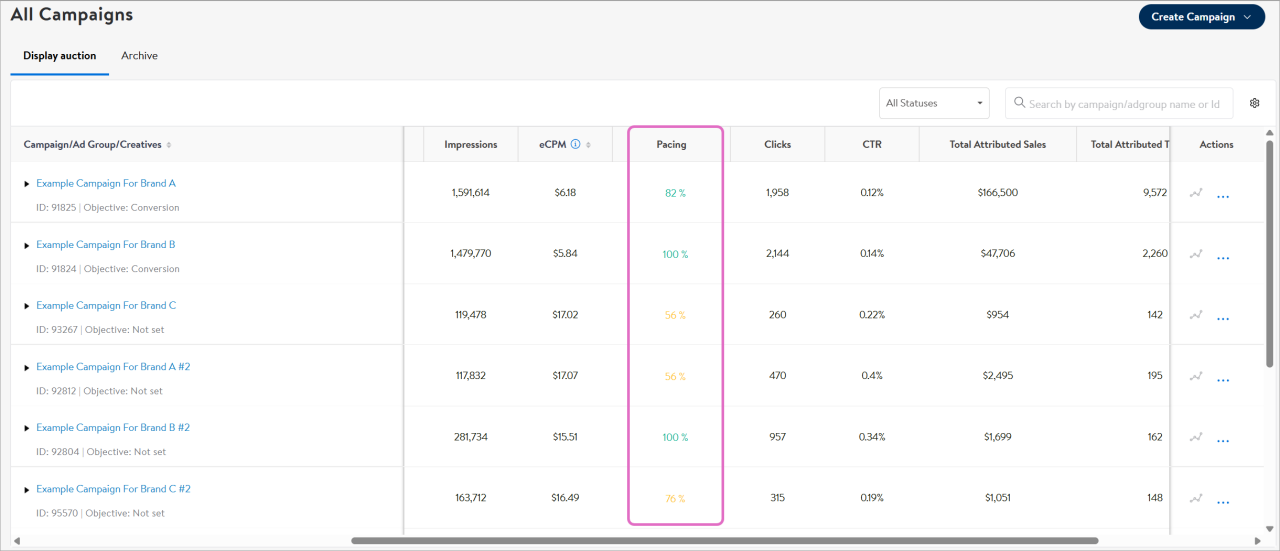
Pacing indicator
Disclaimer: The Pacing indicator will be launched later in Spring 2026.
The pacing indicator shows the spend rate for a campaign or ad group. The system evenly paces out delivery based on targeting parameters, flight dates, base and max bid, and budget, unless delivery speed is adjusted to front-loading.
Note: Pacing is refreshed every 6-8 hours after campaign or ad group launch.